OLED vs Mini-LED: Which Laptop Display Should You Actually Buy?
Every premium laptop refresh cycle now comes with a display upgrade pitch, and increasingly that pitch is a choice between two genuinely different technologies rather than just a resolution bump. OLED and Mini-LED both promise deep blacks and high contrast compared to older LCD panels, but they get there through completely different engineering, and the tradeoffs between them matter more for how you'll actually use a laptop than most spec-sheet comparisons let on.
How OLED Actually Produces Its Contrast
An OLED panel is built from organic light-emitting diodes that each produce their own light and can be switched fully off individually, pixel by pixel. When a scene calls for true black, the relevant pixels simply turn off entirely rather than being blocked by a filter in front of a backlight, which is why OLED laptop screens produce blacks that LCD-based technology has never been able to match. This per-pixel control also means OLED's contrast ratio is effectively infinite in a technical sense — there's no backlight bleeding through a "black" pixel because there's no backlight involved in producing that pixel's light at all.
The same trait that gives OLED its contrast advantage is also the source of its two most-discussed weaknesses. Organic diodes degrade with use, and different colored sub-pixels (red, green, blue) age at different rates, which is the underlying mechanism behind burn-in — a faint ghost image left behind from static content like a taskbar or browser tabs that have stayed on-screen for extended periods. Laptop OLED panels have improved significantly on this front through pixel-shifting, dimming of static elements, and better organic compounds, but the physical mechanism hasn't been eliminated, just mitigated, and it's a legitimate consideration for anyone who tends to leave a laptop on the same static desktop layout for hours at a stretch.
How Mini-LED Gets Similar-Looking Results Differently
Mini-LED is not a competing pixel technology at all — it's still an LCD panel, using the same liquid-crystal layer as a conventional laptop screen. What changes is the backlight: instead of a handful of LED zones (or a single uniform backlight) behind the whole panel, a Mini-LED display packs in hundreds or even thousands of much smaller LEDs, grouped into local dimming zones that can independently brighten or dim different regions of the screen. More zones means finer control over which parts of the image get bright backlighting and which get dimmed toward black, approximating OLED-style per-pixel contrast without actually achieving it.
Because Mini-LED is fundamentally an LED backlight behind a liquid-crystal layer, it doesn't have OLED's burn-in mechanism at all — there's no organic material to unevenly degrade, so a Mini-LED laptop screen can display the same static taskbar for years without any risk of a ghost image forming. It also tends to achieve significantly higher peak brightness than OLED, which matters for HDR content and for using a laptop outdoors or under bright office lighting, since Mini-LED backlights can push far more raw brightness than most OLED panels can sustain, particularly for full-screen bright content rather than small highlights.
Where Mini-LED's Approximation Shows Its Seams
The dimming-zone approach has an inherent limitation called blooming — a halo or glow effect around bright objects displayed against a dark background, because a backlight zone can't perfectly match its brightness to the exact pixel-level content within it. A bright cursor or subtitle text on an otherwise black scene will often show a faint rectangular glow around it on a Mini-LED panel, an artifact that simply can't occur on OLED because every individual pixel is controlled independently rather than in zone-sized groups. More dimming zones reduce blooming's visibility, which is why the difference between a budget Mini-LED implementation and a premium one (measured largely in zone count) is much larger than the difference between budget and premium OLED panels tends to be.
Color Accuracy and Professional Creative Work
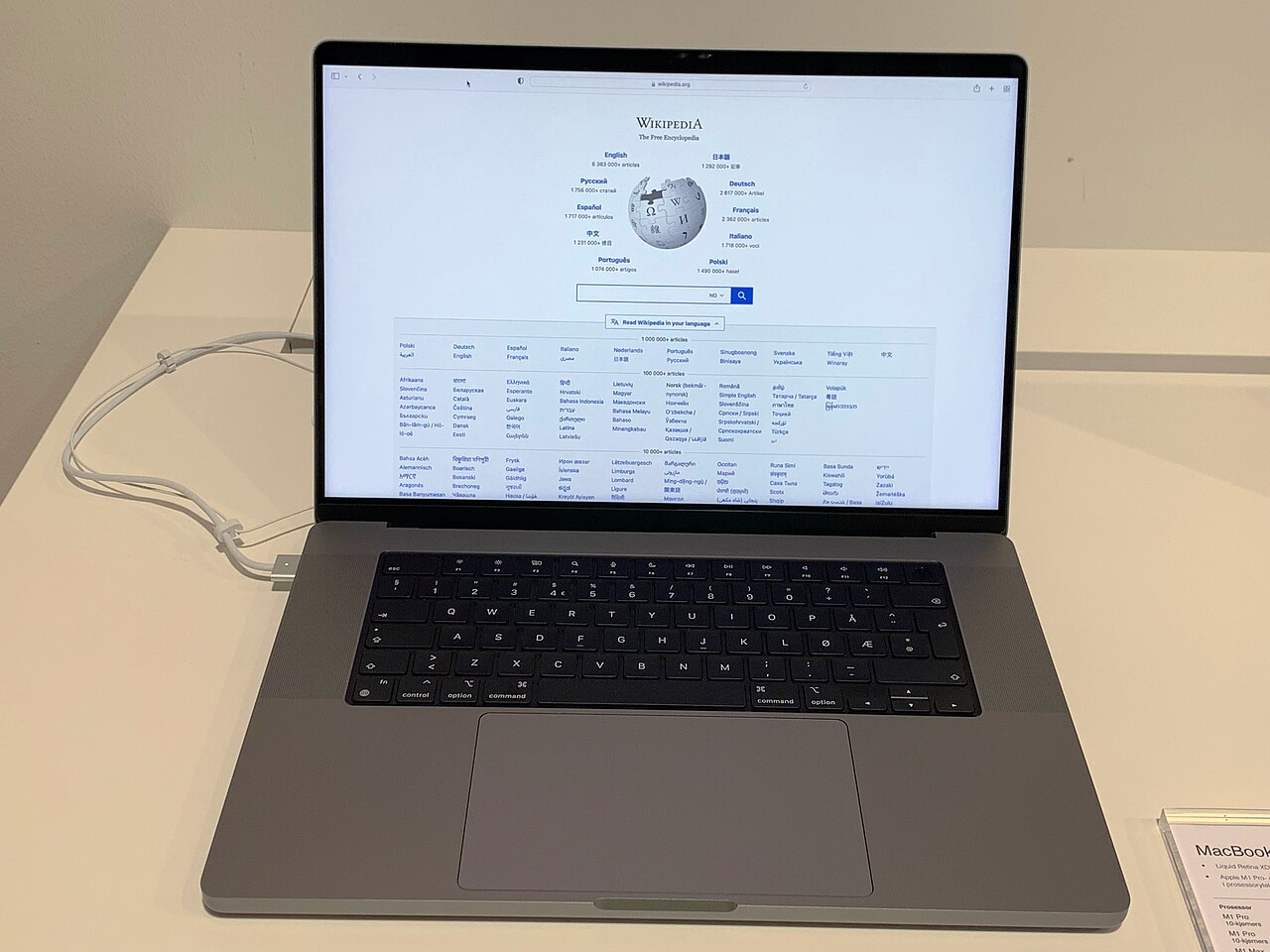
Both technologies are capable of excellent color accuracy in premium implementations — Apple's Liquid Retina XDR display on the MacBook Pro is Mini-LED, and it's widely regarded as one of the best laptop displays available for color-critical creative work, competitive with the best OLED panels on the market. The practical difference for creative professionals tends to come down to sustained full-screen brightness (where Mini-LED has an edge for HDR grading and outdoor work) versus absolute black-level accuracy in dark, detail-heavy footage (where OLED still leads). Neither advantage is dramatic enough to be the deciding factor on its own for most buyers — workflow, software ecosystem, and the rest of the laptop's specs typically matter more, a point also true when weighing something like the GPU-versus-efficiency tradeoffs between a gaming laptop and a MacBook Pro.
Power Consumption and Battery Life
OLED has a genuine efficiency advantage for typical laptop usage, specifically because most everyday interfaces — light-mode apps, web browsing, document editing — are dominated by white or light-colored backgrounds rather than the dark scenes where OLED's true-black pixels save power. This actually cuts the other way from the common assumption: OLED saves the most power on mostly-black content and can draw more power than an equivalent LCD/Mini-LED panel on mostly-white content, because producing bright white light from individual organic diodes is less efficient than a dedicated LED backlight shining through a white-appearing LCD layer. In practice, real-world laptop battery life differences between comparable OLED and Mini-LED configurations of the same laptop tend to be modest, and are usually outweighed by other component choices (CPU, GPU, screen resolution) rather than the display technology alone.
Price and Where Each Technology Shows Up
Mini-LED backlighting has increasingly filtered down into more mainstream laptop tiers because it's built on well-understood, comparatively inexpensive LCD manufacturing with a smarter backlight layered on top, whereas OLED panels remain more expensive to produce at laptop sizes, keeping them concentrated in premium and creator-focused laptop lines. That cost gap has been narrowing, and OLED options are increasingly available in the same mid-range price bracket that used to be exclusively basic-LCD or entry Mini-LED territory, but as of now, a genuinely excellent Mini-LED implementation and a genuinely excellent OLED implementation tend to sit at different points on a laptop lineup's price ladder rather than competing head-to-head at the exact same price.
Which One Should You Actually Buy
Choose OLED if you prioritize absolute black-level accuracy for dark-content viewing and editing, you're not worried about hours of static on-screen content, and you're willing to accept a small long-term burn-in risk that modern mitigation features have made genuinely rare in normal use rather than eliminated entirely. Choose Mini-LED if you want the highest sustained brightness for HDR or outdoor use, you know you'll have static elements on screen for long stretches (a coding IDE, a spreadsheet, a dashboard), or you're shopping in a price bracket where Mini-LED options are simply more available than comparable OLED ones. Both are genuine upgrades over a standard LCD panel — the choice between them is about which specific tradeoff matters more for how you actually use a laptop, not which one is objectively "better" on a spec sheet, similarly to how the right choice among today's business ultrabooks depends on what you actually need from a machine rather than which one wins the most benchmarks.